
One file. Every approval. A clear record.
Once funds are committed, the file moves to procurement. A lead assigns it to an officer. The officer builds the procurement summary. From there, Promethia360 moves the file through every approval your rules require, and keeps each decision on the file.
Procurement Summary and Approvals
Each stage is recorded on the file.
- Requisition allocation: assign each file to an officer, reject it or check its status.
- Procurement summary: the officer prepares the summary, which is certified and then locked.
- CPO review: the Chief Procurement Officer recommends the file or returns it.
- Approval bodies: send the file to as many committees and approval bodies as your rules need. Name each stage to match your own bodies. Each stage keeps its own documents.
- Award Approval: a named approver outside procurement approves low value awards before a purchase order. Reminders and escalation keep it moving.
- Head of Entity approval: the head of the entity approves submissions and purchase orders.
Every step shows who acted and when, so your audit trail builds itself.
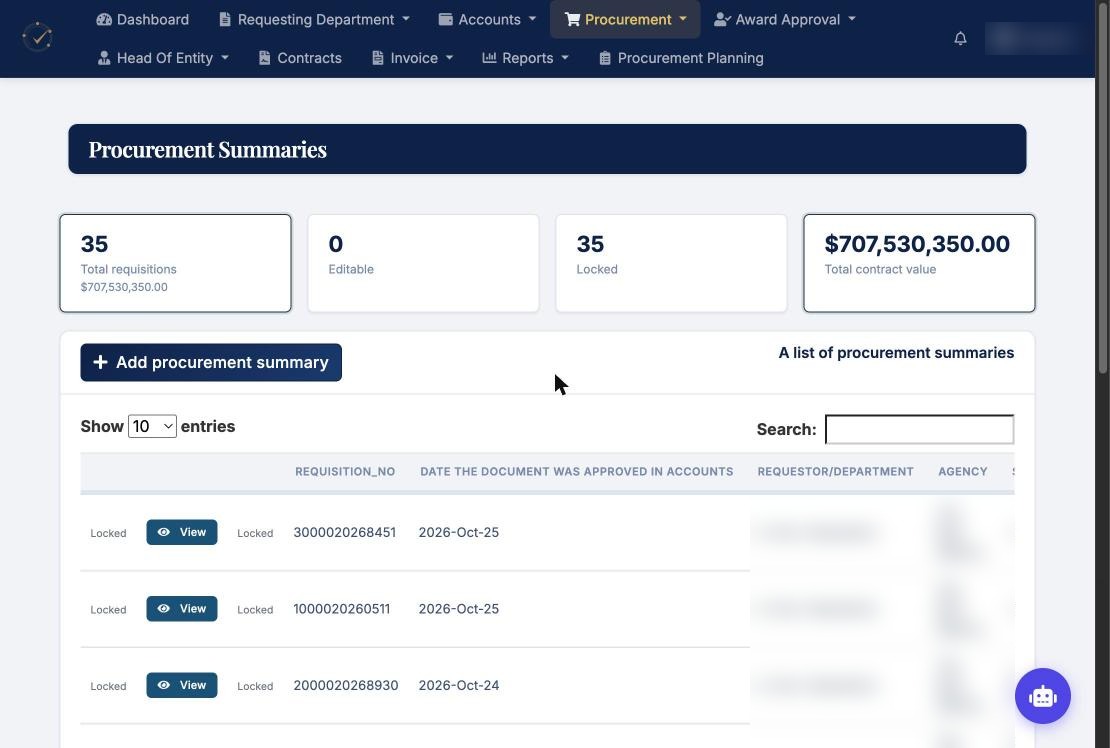
Inside the platform
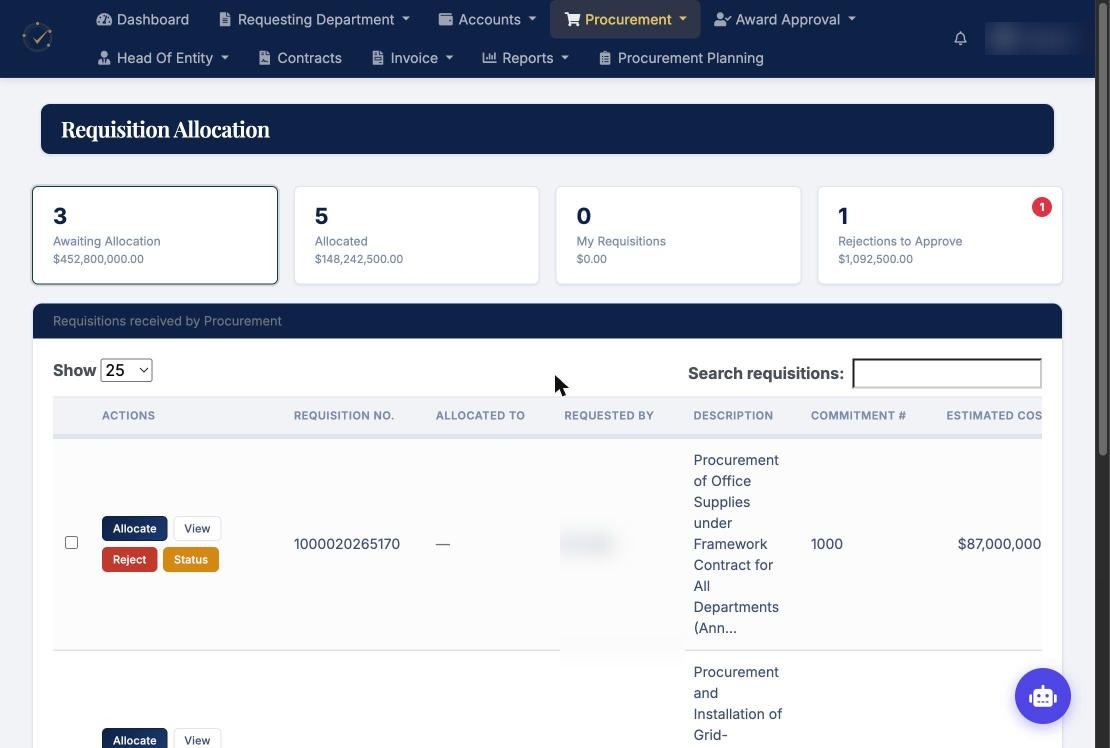
Requisition allocation
Procurement leads assign each file to an officer, reject it or check its status.
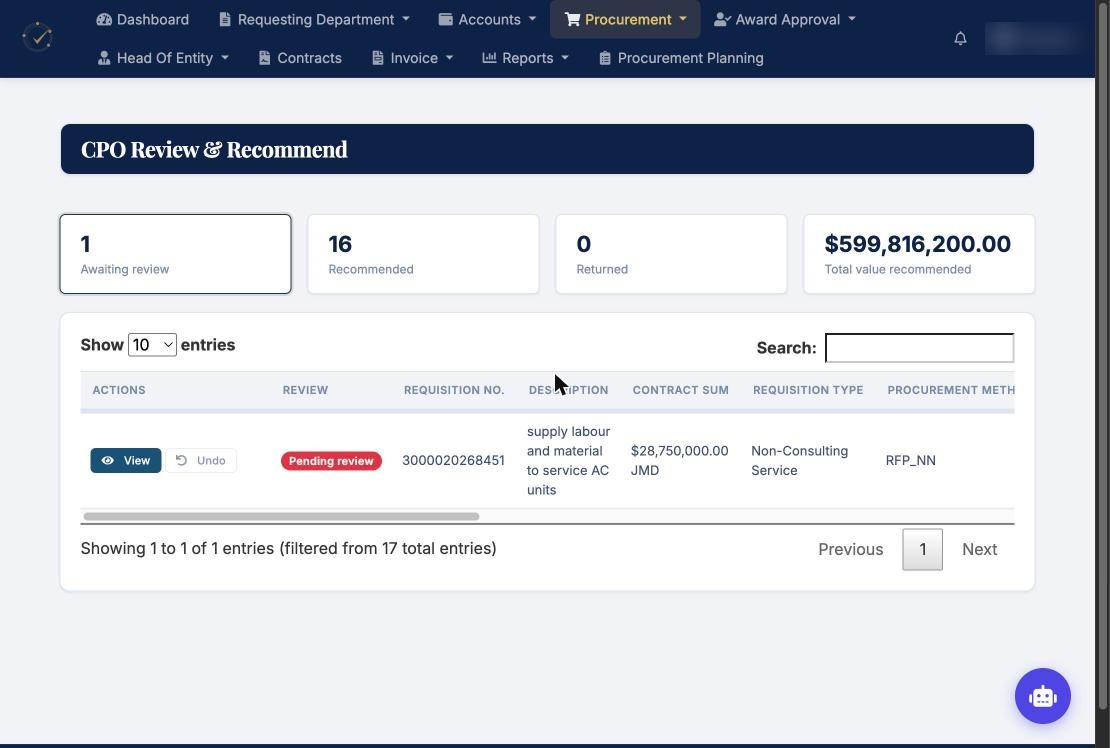
CPO review
The Chief Procurement Officer reviews, recommends or returns each file.
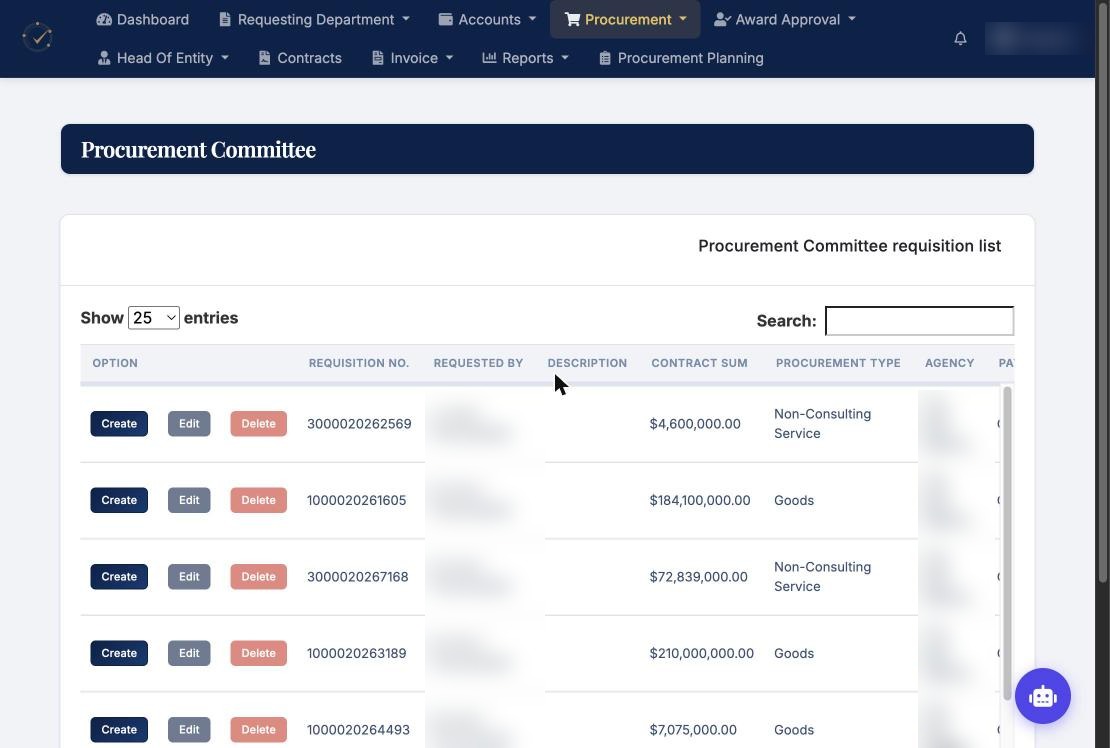
Approval body stage
Each approval body has its own stage and documents on the file.
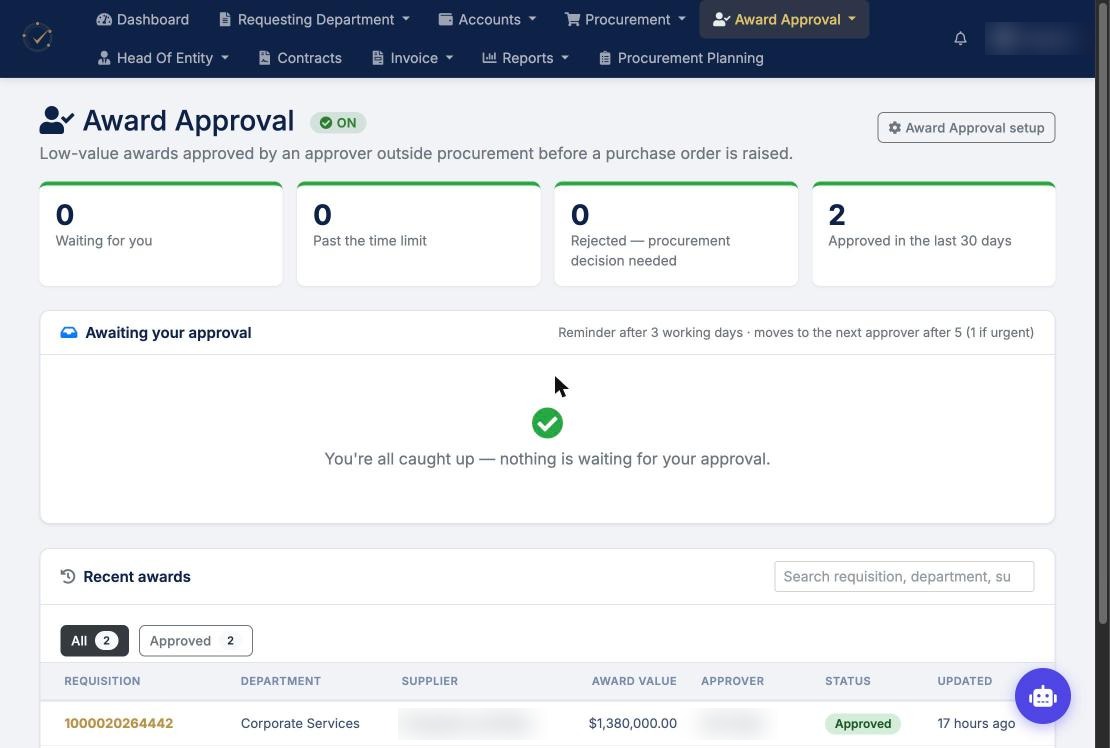
Award Approval
Low value awards are approved outside procurement before a purchase order is raised.
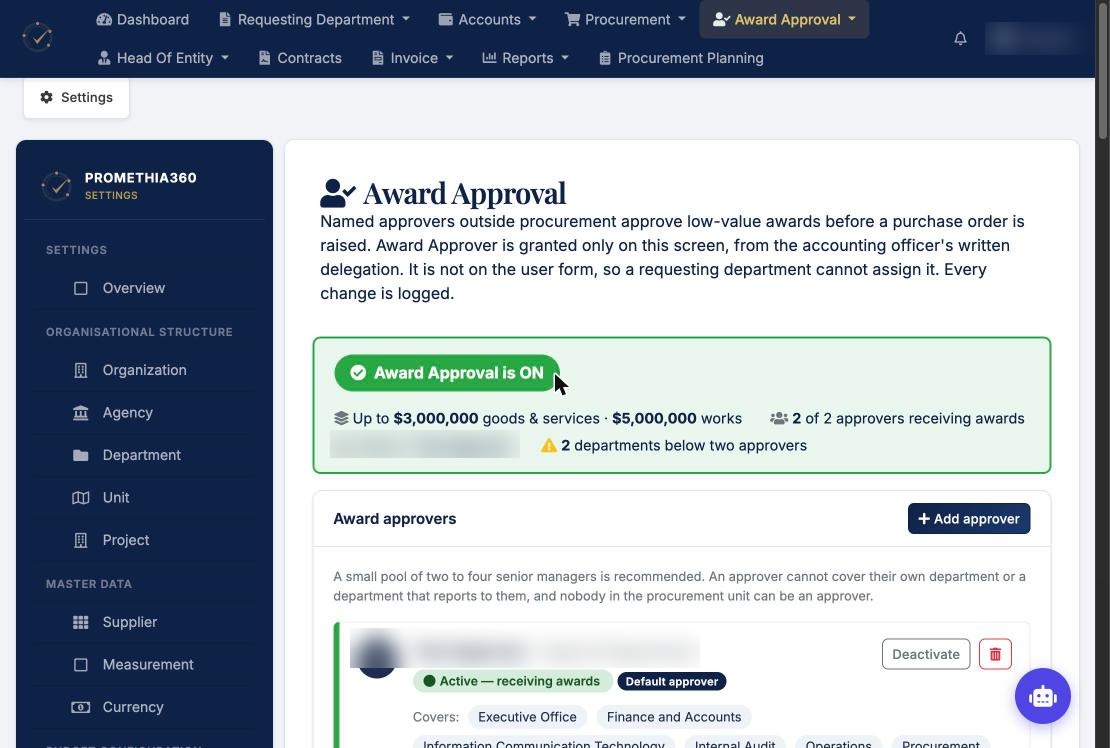
Award Approval setup
Value limits, approvers and department cover. Every change is logged.
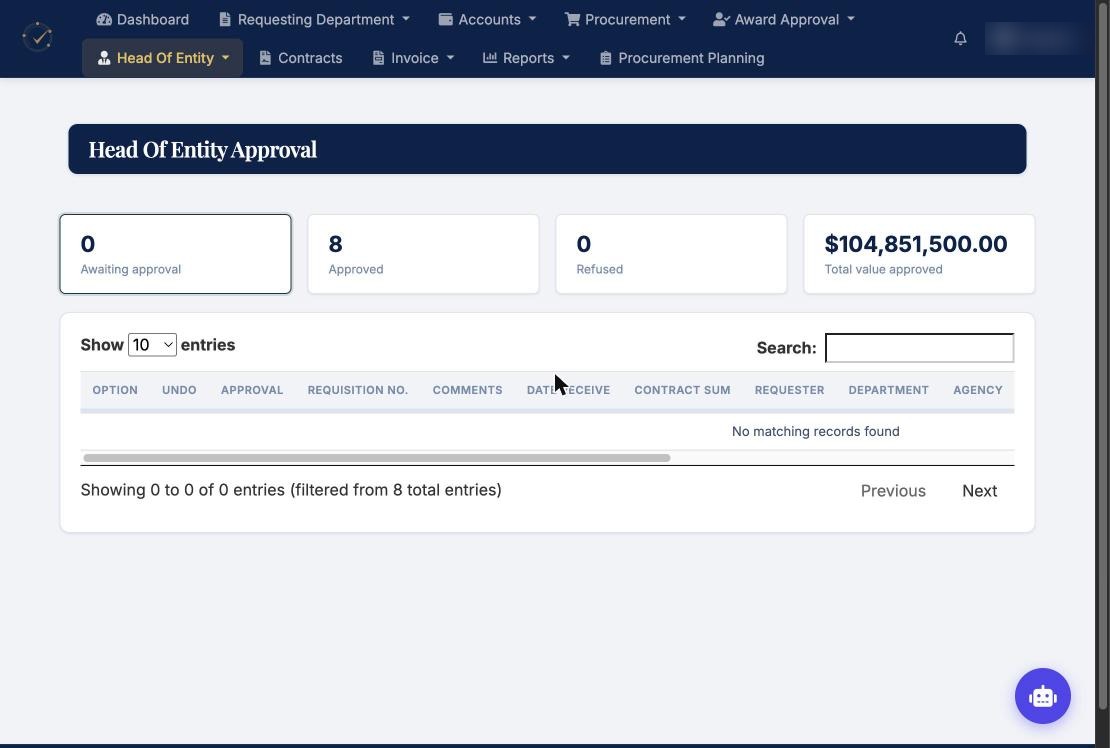
Head of Entity approval
The head of the entity approves submissions and purchase orders.
See it for yourself.
Book a short demo. We will walk you through each step.